How Clients Login to DirectAdmin
Client-Facing Instructions
Clients receive login details in their welcome email after order provisioning. Share these instructions when they need help logging in.
Access URLs
Primary URL (use in welcome emails):
https://da.alfieweb.com:2222
Domain-specific URL (after DNS propagation):
https://clientdomain.com:2222
warning
If port :2222 doesn't work, check the welcome email - some accounts may use different ports. Always verify the port in the client's welcome email.
Login Process
-
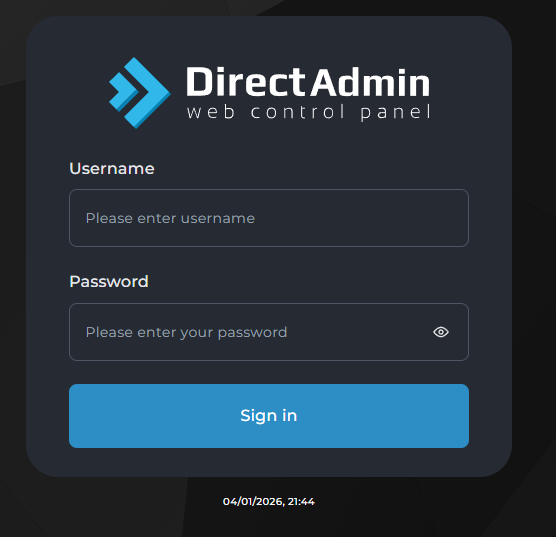
Client opens DirectAdmin URL in browser
-
Enter username and password from welcome email
-
Click "Login"
For Team: Generating Login Details
When creating a new client account:
- Username: Usually their domain name without TLD (e.g.,
clientname) - Password: Generate using password manager (min 12 chars, mixed case, numbers, symbols)
- Document credentials in client management system
- Send welcome email with credentials
Troubleshooting Login Issues
Client Can't Login
Check these first:
- Verify credentials are correct (check for typos)
- Ensure using HTTPS not HTTP
- Confirm port number is correct (
:2222) - Check if IP is blocked (too many failed attempts)
How to unblock IP:
- Login to DirectAdmin admin/reseller panel
- Navigate to: IP Manager → Brute Force Monitor
- Find blocked IP and click "Unblock"
Password Reset
For clients:
- Login to DirectAdmin reseller panel
- Navigate to: Manage User Accounts
- Select client account
- Click "Change Password"
- Generate new secure password
- Send to client via secure method (portal ticket)
Port Not Working
If :2222 doesn't work:
- Check if client's network/firewall blocks that port
- Verify server firewall rules
- Confirm DirectAdmin service is running
Quick Reference for Support
| Issue | Solution |
|---|---|
| Wrong password | Reset via reseller panel |
| IP blocked | Unblock in Brute Force Monitor |
| Port blocked | Check firewall/network |
| Domain URL not working | Verify DNS propagation |
| Account suspended | Check in reseller panel, unsuspend if needed |
Security Best Practices
- Never share passwords over plain email
- Use portal ticket system for sensitive info
- Encourage clients to change default password
- Enable 2FA for reseller/admin accounts
- Monitor failed login attempts